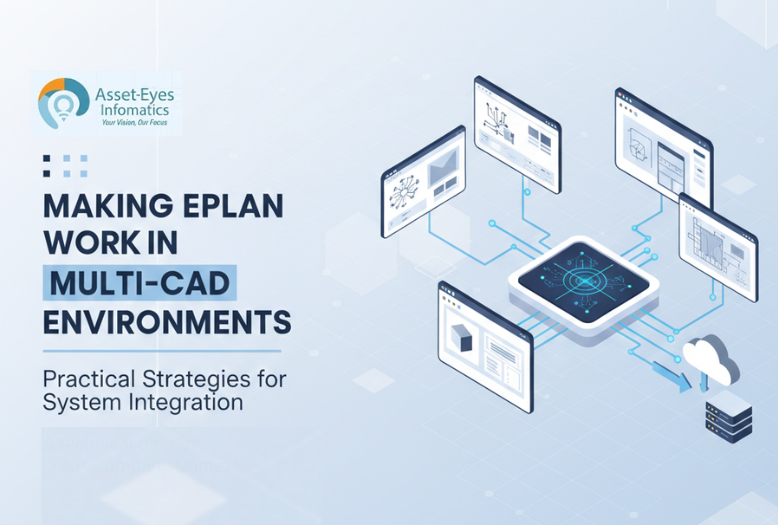
When your engineering team gets approval for that EPLAN investment you’ve been requesting, it’s great news. However, if your reality is that you have fifteen years of AutoCAD electrical drawings, active projects in SolidWorks Electrical, and legacy documentation that your panel builders still reference daily. A lot of organizations don’t get the luxury of clean-slate implementations. The real challenge is making EPLAN work alongside your existing systems without bringing current projects to a grinding halt. Let’s explore practical strategies for system integration and building effective bridges between platforms rather than forcing disruptive migrations.
1. The Master System Philosophy: Who Owns What
A common mistake to avoid in multi-CAD environments is trying to maintain full intelligence in multiple systems simultaneously. It creates confusion, duplicated effort, and inevitable version control nightmares. Instead, adopt a “Master System” philosophy where each type of information has a single, authoritative source.
Establishing Clear Ownership Boundaries
Define which platform owns specific types of design intelligence:
- Schematic logic and device intelligence → EPLAN
- Legacy power distribution drawings → AutoCAD (read-only for modifications)
- Mechanical assemblies and enclosures → SolidWorks/Autodesk Inventor
- Panel 3D layouts → EPLAN Pro Panel
- Historical documentation → Original format until major revisions justify migration
This approach prevents the chaos of engineers switching tools mid-project or different team members working on the same system using incompatible approaches. When conflicts arise, the master system wins no debates, no exceptions.
Project Type Guidelines
Develop written criteria for platform selection based on project characteristics rather than personal preferences.
- New electrical control panel design projects with extensive automation typically belong in EPLAN.
- Simple power distribution modifications to existing equipment might stay in AutoCAD.
- Complex machinery requiring tight mechanical electrical coordination might leverage SolidWorks Electrical’s system integration capabilities.
These are guidelines, not rigid mandates.
2. Smart Coexistence Strategies – System Integration
Once you’ve established ownership boundaries, the focus is on making different platforms work together efficiently.
Reference, Don’t Redraw
For many situations, the most efficient approach uses hybrid documentation rather than full translation. Reference existing drawings as backgrounds or attachments rather than rebuilding everything in your target platform.
Use reference workflows when:
- Legacy drawings are stable and rarely modified
- Customers only need view/print access in specific formats
- You’re upgrading controls on machines with existing mechanical documentation
- Budget or timing doesn’t justify complete rebuilding
Practical implementation involves attaching DWG files as background references for panel footprints or mounting positions, using EPLAN for new schematic intelligence while keeping mechanical layouts as external references, and clearly documenting which drawings are “master” versus “reference only.”
This prevents burning hours converting drawings that will never change again while ensuring new work leverages EPLAN’s intelligent capabilities.
Controlled Translation Workflows
Sometimes you do need to bring data into EPLAN properly especially for products that will be repeated, customized, or maintained long-term. The key lies in translating structure and intelligence, not just geometry.
Good translation candidates include:
- High-frequency products that will be customized often
- Platform machines requiring long-term maintainability
- Projects where clients specifically require EPLAN deliverables
When translating, recreate devices properly with part data, tagging, and connection logic rather than importing DWG files as “dumb” symbols. Start with pilot projects to refine your approach before tackling larger conversions.
Data Standards Above Tool Preferences
Multi-CAD environments only work when data standards supersede individual tool preferences. Establish shared conventions for:
- Device tagging schemes across all platforms
- Wire and terminal numbering systems
- Title block information and revision control
- File naming conventions
- Layer organization (where applicable)
If your EPLAN project uses one tagging schema while your AutoCAD drawings use another, you’ll constantly face mismatches during system integration and handoffs.
3. EPLAN and SolidWorks: Coordinated Design Without Chaos
Typical Ownership Division
- SolidWorks handles: Machine frames and assemblies, enclosure models and door cutouts, cable routing paths in machinery
- EPLAN manages: Internal panel layouts and component placement, schematic logic and device intelligence, wire routing within enclosures
Practical Coordination Techniques
Export 3D enclosure models from SolidWorks into EPLAN Pro Panel, then place components using EPLAN’s intelligent layout tools. Share mounting hole patterns and backplate geometry using neutral formats like STEP or DXF. When conflicts arise, decide which tool leads based on project priorities, if component density is the main challenge, EPLAN Pro Panel leads; if external machine integration dominates, SolidWorks leads on envelope definition.
This coordinated approach prevents duplicate modeling effort while keeping mechanical and electrical teams aligned throughout the design process.
4. AutoCAD Integration Strategy – System Integration
AutoCAD remains a cornerstone platform in many organizations, and complete workflow transitions rarely happen overnight. The practical approach recognizes that both AutoCAD and EPLAN serve distinct purposes, allowing you to leverage each platform’s particular strengths for different project requirements.
Complementary Platform Model
- Continue using AutoCAD for projects where its flexibility and universal compatibility provide the best workflow efficiency
- Apply EPLAN services for projects requiring database-driven design features and automated documentation generation
- Maintain clear project documentation indicating which platform serves as the primary design environment for each project
This approach allows your existing AutoCAD projects to remain fully accessible and maintainable while new projects can utilize whichever platform best fits their specific requirements without the disruption of converting everything simultaneously.
Export Strategy for Client Deliverables
Many clients still request DWG deliverables regardless of your internal design platform. Configure EPLAN export settings to meet specific client layer standards and formatting requirements. Treat these exports as “published documents” rather than working files; they serve communication purposes while the underlying project intelligence remains managed in your chosen design platform.
5. Migration Planning: Evolution, Not Revolution
Moving toward EPLAN-centric workflows typically requires a multi-year evolution rather than a dramatic switch. Successful migration planning acknowledges practical constraints while steadily building capabilities and shifting new work to the target platform.
Phased Migration Roadmap
- Define target state clearly: Example “Complex automation panels utilize EPLAN’s database capabilities; Standard power distribution projects leverage AutoCAD’s flexibility; SolidWorks manages mechanical integration and enclosure design”
- Select pilot product lines: Build complete EPLAN projects for one or two product families to refine templates, libraries, and workflows
- Develop reusable assets: Create standard macro libraries, template projects, and verified component databases that accelerate future projects
- Train platform champions: Develop internal experts who understand both EPLAN and legacy tools to support colleagues during transition
- Phase customer deliverables: Offer both EPLAN and traditional format outputs during transition periods to maintain client relationships
This approach accepts current constraints while systematically building toward improved capabilities. Perfect migration may never occur; some legacy projects may remain in original formats indefinitely because conversion costs exceed practical benefits.
6. Asset-Eyes as Your Multi-Platform Bridge Partner
This multi-system reality is exactly where Asset-Eyes provides unique value. We don’t position ourselves as “the EPLAN-only team” but rather as the integration specialist who makes different platforms work together effectively.
Our CAD drafting service spans EPLAN, AutoCAD, DraftSight, and other platforms because we recognize that most clients operate in mixed environments. This multi-platform fluency allows us to work within your existing ecosystem.
Practical Integration Support
Our team handles the complex translation workflows, maintains consistent naming and documentation standards across platforms, and creates export configurations that support various client deliverable requirements.
Through our EPLAN consulting approach, we help establish the practical frameworks that make multi-platform environments manageable: clear ownership boundaries, reliable translation procedures, and documentation standards that work across different systems.
Whether you’re planning gradual EPLAN adoption, maintaining permanent multi-platform workflows, or simply need documentation support that integrates with existing tools, Asset-Eyes provides the bridge expertise that turns complex environments into manageable systems.
Our integrated service model recognizes that EPLAN electrical drawings rarely exist in isolation; they coordinate with mechanical layouts, interface with legacy systems, and must satisfy diverse client requirements. We handle these integration challenges so your internal engineers can focus on design innovation rather than platform compatibility issues.
Moving Forward Strategically – System Integration
Multi-platform environments present real challenges, but they’re entirely manageable with thoughtful strategies and realistic expectations.
Focus on information that must remain consistent device tags, I/O addresses, component specifications while accepting that detailed implementation will vary between systems.
If migration makes strategic sense, plan it as a multi year journey rather than a disruptive event. Shift new work to target platforms while maintaining legacy systems for existing projects, and invest heavily in training and knowledge transfer.
Remember that CAD platforms serve your engineering and manufacturing objectives; they’re not ends in themselves. Sometimes embracing multi-platform reality proves more practical than pursuing theoretical platform purity. The goal is delivering quality documentation that supports efficient manufacturing and reliable operation, regardless of which specific tools generated individual components.
Contact Us Now:
📞 +91 9840895134
FAQs
Most organizations struggle with EPLAN adoption because they operate in complex, multi-CAD environments rather than having the luxury of clean-slate implementations. Real-world scenarios typically include fifteen years of legacy AutoCAD electrical drawings, active SolidWorks Electrical projects, and historical documentation that panel builders reference daily. Forcing complete migration disrupts current projects, creates version control nightmares, and generates significant productivity losses. The practical challenge isn’t whether EPLAN is superior—it’s making EPLAN work effectively alongside existing systems without bringing operations to a grinding halt while maintaining project continuity and team productivity.
The Master System Philosophy establishes single authoritative sources for each type of design intelligence, preventing the chaos of maintaining full intelligence across multiple platforms simultaneously. In practice, EPLAN owns schematic logic and device intelligence, AutoCAD maintains legacy power distribution drawings in read-only status for modifications, SolidWorks manages mechanical assemblies and enclosures, and EPLAN Pro Panel handles 3D panel layouts. When conflicts arise between systems, the designated master system wins without debate or exceptions, eliminating version control nightmares, duplicated effort, and the confusion of engineers switching tools mid-project or using incompatible approaches across different team members.
Reference workflows work best when legacy drawings are stable and rarely modified, customers only need view or print access in specific formats, teams are upgrading controls on machines with existing mechanical documentation, or budget and timing don’t justify complete rebuilding. Use reference by attaching DWG files as background references for panel footprints or mounting positions while creating new schematic intelligence in EPLAN. Full translation into EPLAN is justified for high-frequency products requiring frequent customization, platform machines needing long-term maintainability, and projects where clients specifically require EPLAN deliverables. The key distinction is translating structure and intelligence—recreating devices with proper part data, tagging, and connection logic—rather than importing drawing geometry as unintelligent symbols.
Effective coordination requires clear ownership boundaries where SolidWorks handles machine frames, assemblies, enclosure models, door cutouts, and cable routing paths through machinery, while EPLAN manages internal panel layouts, schematic logic, device intelligence, and wire routing within enclosures. Practical coordination involves exporting 3D enclosure models from SolidWorks into EPLAN Pro Panel using neutral STEP or DXF formats, then placing components using EPLAN’s intelligent layout tools. Share mounting hole patterns and backplate geometry between platforms while maintaining clear documentation of which tool serves as primary for each aspect. When conflicts arise, decide leadership based on project priorities—EPLAN Pro Panel leads for component density challenges, while SolidWorks leads for external machine integration and envelope definition.
Organizations should implement a complementary platform model where AutoCAD continues serving projects where its flexibility and universal compatibility provide optimal workflow efficiency, while EPLAN handles projects requiring database-driven design features and automated documentation generation. Develop written criteria for platform selection based on project characteristics: new electrical control panel designs with extensive automation typically belong in EPLAN, simple power distribution modifications may stay in AutoCAD, and complex machinery requiring tight mechanical-electrical coordination might leverage SolidWorks Electrical integration. Clear project documentation must indicate which platform serves as primary design environment. For client deliverables requiring DWG formats, configure EPLAN exports to meet specific layer standards and formatting requirements, treating these as published communication documents while project intelligence remains managed in the source platform.
Multi-CAD environments only function effectively when data standards supersede individual tool preferences across all platforms. Organizations must establish shared conventions for device tagging schemes used consistently across EPLAN, AutoCAD, and SolidWorks projects, wire and terminal numbering systems, title block information and revision control procedures, file naming conventions, and layer organization where applicable. Without consistent tagging schemas across platforms, engineers constantly face mismatches during integration and project handoffs, negating efficiency benefits that motivated the multi-platform strategy. If EPLAN projects use one tagging schema while AutoCAD drawings use another, teams will experience constant integration failures and confusion during handoffs between different engineering disciplines.
Realistic EPLAN migration unfolds as evolution over multiple years rather than through disruptive switches. The roadmap begins by defining a clear target state specifying which platform handles which project types—for example, complex automation panels utilize EPLAN’s database capabilities, standard power distribution projects leverage AutoCAD’s flexibility, and SolidWorks manages mechanical integration. Select pilot product lines to build complete EPLAN projects that refine templates, libraries, and workflows. Develop reusable macro libraries, template projects, and verified component databases that accelerate future work. Train platform champions who understand both EPLAN and legacy tools to support colleagues during transition. Phase customer deliverables by offering both EPLAN and traditional format outputs during transition periods to maintain client relationships. Accept that some legacy projects may remain in original formats indefinitely when conversion costs exceed practical benefits.
Some legacy projects should remain in original formats permanently because conversion costs genuinely exceed practical benefits. Projects involving stable documentation that rarely changes, equipment nearing end of operational life, or drawings requiring only occasional reference access don’t justify the engineering hours required for proper EPLAN migration. The Master System Philosophy accepts this reality by designating historical documentation as remaining in original formats until major revisions justify migration, recognizing that theoretical platform purity is less valuable than practical engineering productivity and resource efficiency. Perfect migration may never occur, and that’s acceptable when focusing on delivering quality documentation that supports efficient manufacturing and reliable operation.
Asset-Eyes provides unique value by positioning itself as an integration specialist rather than an EPLAN-only team, with CAD drafting services spanning EPLAN, AutoCAD, DraftSight, and other platforms. This multi-platform fluency allows Asset-Eyes to work within existing client ecosystems rather than demanding disruptive migrations. Their team handles complex translation workflows, maintains consistent naming and documentation standards across platforms, creates export configurations supporting various client deliverable requirements, and establishes practical frameworks including clear ownership boundaries, reliable translation procedures, and cross-platform documentation standards. Asset-Eyes handles integration challenges so internal engineers can focus on design innovation rather than platform compatibility issues, recognizing that EPLAN electrical drawings rarely exist in isolation but must coordinate with mechanical layouts, interface with legacy systems, and satisfy diverse client requirements.
The most important principle is focusing on information consistency rather than platform uniformity. Device tags, I/O addresses, and component specifications must remain consistent across all platforms regardless of which tool generated specific documentation components. CAD platforms serve engineering and manufacturing objectives rather than being ends in themselves, meaning that embracing multi-platform reality often proves more practical than pursuing theoretical platform purity. The ultimate goal is delivering quality documentation supporting efficient manufacturing and reliable operation through thoughtful integration strategies and realistic expectations about migration timelines. Success comes from accepting that detailed implementation will vary between systems while maintaining consistency in critical information that affects manufacturing, installation, and maintenance operations.